Share this page


Copy as Link/Paste as Link
Allows you to create an element link or a symbolic link from a file. To create a link:
- Right-click the file for which you want to create a link and choose from the context menu.
- Navigate to the project in which you want to create the link.
- Right-click the appropriate project folder and choose
from the context menu. The
Paste Link dialog box appears:
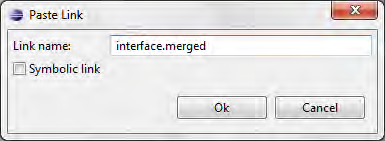
By default, the link object you are creating has the same name as the target object to which it refers.
- Optionally, change the link name.
- Select the Symbolic link field if you want to create a symbolic link. Otherwise, AccuRev Plug-In for Eclipse creates an element link.
- Click OK.